Most people pick a WordPress theme the way they pick a hotel: they scroll through demo screenshots and choose the one that looks nicest. For a brochure site that is mostly fine. For a news or magazine site it is how you end up, three months later, fighting your own homepage every morning.
Here is the takeaway up front: a magazine WordPress theme is a tool for publishing every day, so judge it on the jobs your front page has to do, not on how its demo looks. Write those jobs down first, then shortlist only themes that do them without custom code. If you are still deciding what your site needs to achieve at all, the web presence guide is the better starting point.
Why news sites need a different kind of theme
A small business site changes a few times a year. A news, magazine or niche content site changes several times a day. That difference drives everything else.
On a publishing site, the homepage is not a static page. It is a moving front page that has to show the newest story, keep older but popular pieces visible, signal which section each story belongs to, and leave room for advertising that pays for the whole thing. A general-purpose theme can be bent into doing this, but every new story then means rearranging blocks by hand.
A theme built for publishing does that arranging for you. New posts flow into the right slots, categories carry their own labels, and the trending list updates without anyone touching it. That is the real thing you are buying.
Start with your front page, not the theme gallery
Before opening a single demo, take a sheet of paper and draw the front page you want. Keep it simple:
- The lead area. One big story, or a grid of three to five?
- Sections. Which categories matter most, and should each have its own strip?
- What is popular. A trending or most-read list, and where it sits.
- Advertising. A header banner, sidebar slots, in-feed positions, or none.
- Signals of life. Dates, author names, social follower counts.
Now you have a test. A theme passes only if it can produce that sketch from its settings or its homepage builder. If the demo looks close but needs a developer to get the rest of the way, cost that developer in before you compare prices. The guide to what a small business website costs explains how quickly custom work adds up.
The checklist: what a magazine WordPress theme has to handle
Use these as yes/no questions when you compare themes. A theme that misses two or three of them will cost you time every week.
1. A homepage you can rearrange yourself
Look for a drag-and-drop homepage builder or a set of homepage sections you can reorder. The question to ask is simple: can a non-developer move the trending list above the category strips, today, without touching code? If the answer is "edit the template file", keep looking.
2. Featured and trending posts
Your strongest stories need to stay visible after they stop being the newest. Check that the theme can feature chosen posts and show a trending or popular list, and that both update on their own.
3. Category layouts and labels
Readers navigate a news site by section. Each category should have its own archive layout, and posts should carry a visible category label on the front page so readers know where they are.
4. Built-in ad placements
If the site will carry advertising, the theme should have defined ad slots, ideally managed from the theme settings. Bolting ads onto a theme that was not designed for them usually breaks the layout on phones.
5. Reader features that keep people on the site
Author profiles, related posts and breadcrumb navigation are small things that make a publication feel organised, and they give readers a next step after every article. Dark mode and good typography controls matter more than they sound for people who read on their phones at night.
6. Search settings and structured data
A publishing site depends on search traffic, so check that the theme includes basic SEO settings and support for schema markup, rather than leaving every part of it to plugins. No theme makes a site rank on its own; content does that. A theme can only stay out of the way.
7. Phones first
Open the demo on your own phone, not just the desktop preview. Check that the lead story, the menu and the ad slots still make sense on a small screen.
8. Translation readiness
If you publish in more than one language, or might later, confirm the theme is translation ready before you invest in it.
Read the licence before you buy
This is the step most people skip, and it is the one that causes real problems later. Premium WordPress themes come with licence terms that decide where you may use them.
Ask three questions:
- Can I use it on more than one site? Some licences cover one site; others cover your own sites and client projects.
- What happens with updates? Find out which updates you are entitled to, and for how long. "Updates for the purchased version" is a different promise from updates to every future major version.
- Where does support come from? Look for a written support policy, not just an email address.
Avoid themes offered without any licence terms at all. A free download of a paid theme is a common way for sites to end up with malicious code in their footer.
A worked example: Signal Media Premium
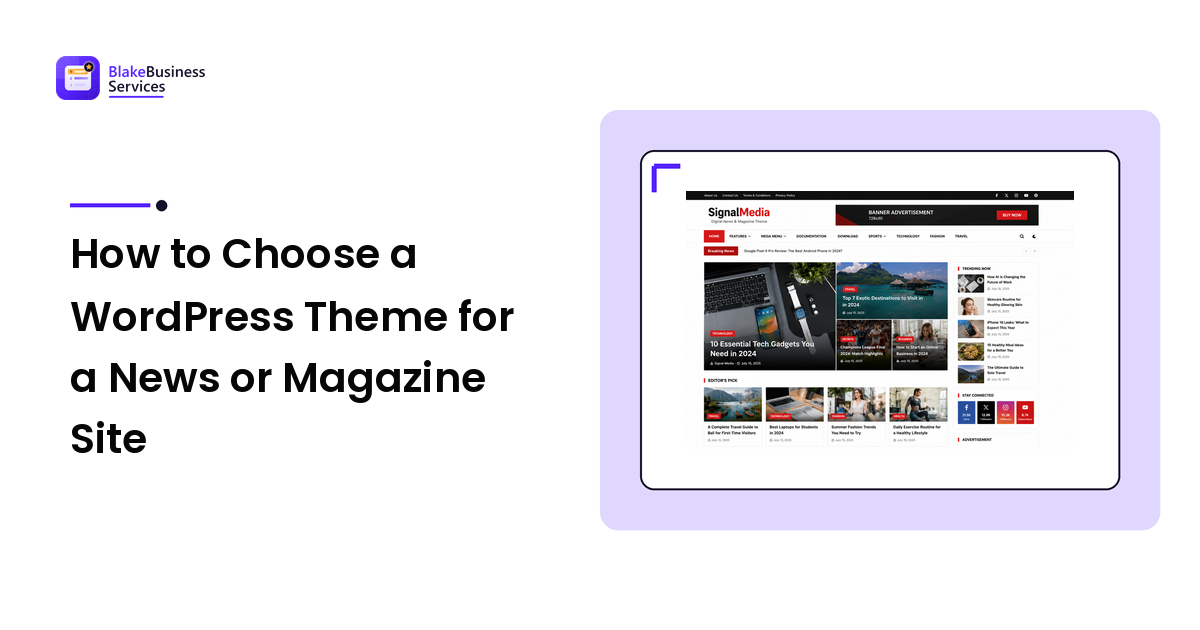
To make the checklist concrete, here is how one theme built for publishers lines up against it. Signal Media Premium is a WordPress theme for news, magazine and blog sites, sold on Gumroad.
Against the checklist:
- Front page you can rearrange: it ships with a drag-and-drop homepage builder and multiple homepage sections.
- Featured and trending posts: both are built in.
- Categories: category layouts, plus breadcrumbs and author profiles.
- Advertising: a built-in advertisement manager with header and sidebar ad slots.
- Reader features: related posts, dark mode, and typography and colour controls.
- Search: SEO settings and schema markup support.
- Phones and languages: a responsive layout, and it is translation ready.
- Licence: a commercial licence for your own sites and eligible client projects under its terms, with lifetime updates for the purchased version and support under the policy included with the purchase. Redistributing or reselling the theme files is not allowed.
It is listed at $49 as a one-time purchase on its Gumroad page, delivered as an instant download with the theme ZIP, documentation and installation guide. There is a longer overview of the Signal Media magazine WordPress theme if you want to see the layout before deciding.
That is one example, not a verdict. Run any theme you are considering through the same list and compare them on the same terms.
Mistakes to avoid
- Buying the demo, not the theme. Demo content is styled by professionals with perfect photos. Ask what the page looks like with your own images and headlines.
- Ignoring the editing workflow. Install the theme on a test site and publish three posts. If that is painful, it will be painful every day.
- Stacking plugins to fill gaps. Every missing feature you add with a plugin is another thing to update and another thing that can conflict.
- Skipping the licence. Check where you can use it and what updates you get before the site goes live, not after.
- Rebuilding too early. If you already have a site, the refresh, redesign or rebuild guide helps you decide whether a new theme is even the right fix.
A simple decision path
- Sketch your front page and list the sections you need.
- Shortlist three themes that produce that layout without custom code.
- Read each licence, update and support policy.
- Install your favourite on a test site and publish a few real posts.
- Check the result on your phone, then buy.
Frequently asked questions
What is a magazine WordPress theme? A theme designed for sites that publish often: news sites, online magazines and busy blogs. It provides a front page built from post grids, featured and trending lists, category sections and ad slots, rather than a fixed brochure layout.
Do I need a premium theme for a news site? Not always. A free theme can work for a small blog. Once you need a rearrangeable front page, ad management and category layouts without hiring a developer, a theme built for publishing usually saves more time than it costs.
Can I switch themes later? Yes, but on a content site it means reworking menus, widgets and the homepage. It is cheaper to test properly once than to switch twice.
What should a theme licence cover? Where you may use the theme (one site, several sites or client projects), which updates you receive, and how support works. Read it before you build anything on the theme.